




Creating an organized and clutter-free home office space can have a significant impact on your productivity and overall work experience. Whether you work remotely full-time or occasionally need a dedicated area to focus, having a well-planned workspace helps reduce distractions and fosters a positive mindset.
In this post, we’ll explore practical tips and strategies for organizing your home office so it supports your daily tasks efficiently and comfortably.
Why a Clutter-Free Workspace Matters
Before diving into the how, it’s helpful to understand why keeping your office organized benefits you:
– Improved Focus: A tidy environment reduces distractions and mental fatigue.
– Increased Efficiency: When everything has its place, you spend less time searching for items.
– Less Stress: Clutter can contribute to feeling overwhelmed; an orderly space promotes calm.
– Boosted Creativity: A neat space can inspire fresh ideas and clear thinking.
Step 1: Choose the Right Location
Start by selecting a spot with minimal noise and foot traffic. Ideally, this area should have good natural light, which can help reduce eye strain and lift your mood. If space is limited, corners, nooks, or even a closet can be converted into functional offices with thoughtful organization.
Step 2: Invest in Functional Furniture
Ergonomics and storage are key to a productive home office.
– Desk: Choose a desk that fits your space and has enough surface area for your computer, documents, and any other tools.
– Chair: A comfortable, adjustable chair supports posture and reduces fatigue.
– Storage Units: Shelves, filing cabinets, or storage bins help keep paperwork and supplies organized and out of sight.
Step 3: Declutter Regularly
Clutter accumulates quickly but scheduling regular decluttering sessions helps keep your office tidy.
– Sort papers into categories: urgent, to file, to discard.
– Clear unused items off your desk daily.
– Digitize documents where possible to reduce physical clutter.
Step 4: Organize with Purpose
Having a system for organizing makes maintenance easier.
– Use labeled folders for documents.
– Keep frequently used supplies within arm’s reach.
– Use cable management tools to prevent wires from tangling.
– Designate zones for specific activities, like a computer station and a writing area.
Step 5: Maximize Vertical and Hidden Storage
To save space and reduce surface clutter:
– Install wall shelves for books, decor, and supplies.
– Use drawer organizers to keep small items sorted.
– Consider multi-functional furniture such as desks with built-in storage.
Step 6: Keep Technology and Accessories Minimal
Too many gadgets or accessories can be distracting.
– Only keep necessary devices on your desk.
– Use wireless accessories to limit cables.
– Opt for a clean desktop wallpaper and minimize open applications for less visual clutter.
Step 7: Add Personal Touches Wisely
A few personal or inspiring items can improve your mood but avoid overcrowding.
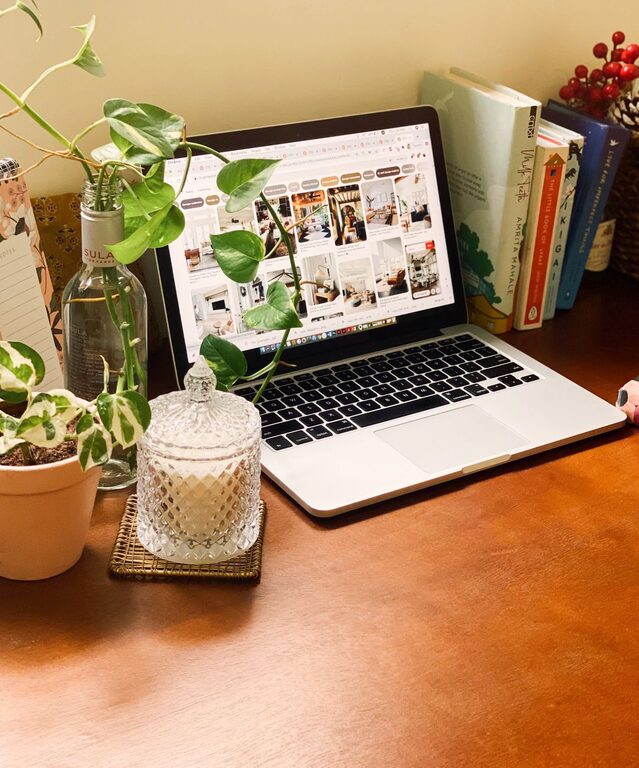
– Choose one or two pieces of art or plants.
– Use natural elements to create a calming atmosphere.
– Keep decorations consistent in style and color to maintain cohesion.
Step 8: Maintain Cleanliness Daily
A clutter-free office is easier to maintain with simple habits:
– Tidy your desk at the end of each workday.
– Wipe surfaces and keyboard regularly.
– Empty trash bins often.
Step 9: Manage Paperwork Creatively
Paperwork often creates clutter but you can keep it organized by:
– Using an inbox tray for daily incoming documents.
– Setting up a weekly time to file or scan paperwork.
– Shredding non-essential documents regularly.
Step 10: Create a Daily Routine to Support Productivity
Organization extends beyond physical space.
– Start the day by prioritizing your tasks.
– Use a planner or digital calendar to keep track of deadlines.
– Take breaks to refresh your mind and prevent burnout.
—
Final Thoughts
Organizing a clutter-free and productive home office doesn’t require a full remodel. By choosing the right location, investing in functional furniture, and applying practical organizing systems, you can create a workspace that supports your goals and makes working from home enjoyable.
Remember, consistency is key — maintain these habits and your workspace will serve you well for years to come.